Track Alerter's Special Deals
Home/Office Wired Networking
Track Alerter's Special Computer Deals
[ Home ] [ RAID Options ] [ Home/Office Network ]
Track Alerter -- Copyright 2009 All Rights Reserved
Copyright � 1993- by
TrackAlerter.com. All rights reserved.
TRACK ALERTER, DISCLAIMS ANY AND ALL WARRANTIES, EXPRESS OR IMPLIED, RELATING TO THIS WEB SITE, AND ANY INFORMATION CONTAINED THEREIN, INCLUDING WARRANTIES AS TO THE ACCURACY OR COMPLETENESS OF THE INFORMATION.
TRACK ALERTER, SHALL NOT BE LIABLE FOR ANY DAMAGES OF ANY KIND, UNDER ANY THEORY OF LIABILITY, RESULTING FROM USER'S ACCESS TO THE WEB SITE OR USE OF ANY INFORMATION CONTAINED THEREIN.
| When planned and implemented properly, a home/office network can be
secure, robust, and provide for future enhancements with little or no
effort. There is one potential 'problem' with this picture,
do you know what it is? By the time we get to the end of this
article you should be able to identify it and hopefully will be on your
way to setting up your own home network. For purposes of this article
office refers to an office in your home, but you can adapt as necessary.
Typically when you first get DSL or a different service, the company
sends you a modem (box) and a wire of some sort to connect directly to
your computer. This is what most people have in their homes and it
has several disadvantages, I'll just list a few now:
- Any security must be done in software, which makes your computer
slower.
- Connecting a second computer to the internet is difficult
- Transferring files between computers is done via an air gap or
at best on USB cabling.
|
 |
Setting up a custom home wired network is a bit more difficult but the
dividends pay off greatly. To establish a good hardwired home network you
will need the following components:
Router
The router is a special piece of hardware that serves two basic
purposes. It provides a way to get the signal from the modem your service
provider gives to you and it provides a hardware implemented firewall.
When you purchase your router, make sure it is compatible with your service
type. If you are using DSL, then get a DSL router. If cable is your
service, then get a cable router. The significance of putting your
firewall in hardware means each computer in your network won't need to implement
this tool. Each computer that would normally have to implement a firewall,
would end up running slower as each network packet would need to be verified
whether or not it was allowed to enter or leave your computer. You
can still have firewalls on your network, but its best to do in hardware where
possible as it lets your computers run at peak performance. This article
keeps things simple, so we implement one firewall on our network that separates
the raw internet from our network. Additionally firewalls prevent
outsiders from sneaking into a network.
Ethernet patch

This component is often left out of many home offices by
mistake. Often the person doing so thinks the planned setup will be
sufficient without thinking of the big picture. Once all the work is done,
its usually a bit later a new item needs to be added and its a bit of a mess
adding new features to the network and messy cabling around rooms, etc.
The Ethernet Patch (Panel) is basically a interface you attach to a wall somewhere in your house where all
wires/cables go. We prefer the newest G cabling and Ethernet patch
designed for G, as the wiring is designed to provide speedy networks. All
8 wires are used and length matters when it comes to connecting the 8 wires to
the patch.
FAX/Data/Modem
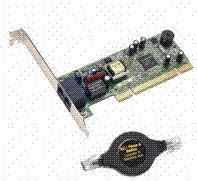

Often one needs a dial up modem to handle fax/answering machine
duties. One we have found to be good and reliable is one made by US
Robotics the US Robotics 56K Modem w/Ultra Retractable RJ-11
Headphones -- great for jogging
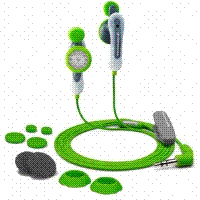

Sennheiser Audio buffs know the brand. The entire globe is
catching on. Sennheiser. It’s quality. It’s performance beyond boundaries. Its
sleek design fused with ultimate comfort. Rugged, long-lasting, built to please
even those who are impossible to satisfy. Sennheiser. Think perfection.
Established more than a half-century ago, Sennheiser is the acknowledged world
leader in microphone technology, RF-wireless and infrared sound transmission,
headphone transducer technology, and most recently, in the development of active
noise-cancellation. The Sennheiser MX75 Sport Earbuds with Carrying Case
offers you
everything you’d expect from the very best and then some. If you’re impossible
to satisfy, you’ll be pleased with the Sennheiser MX75